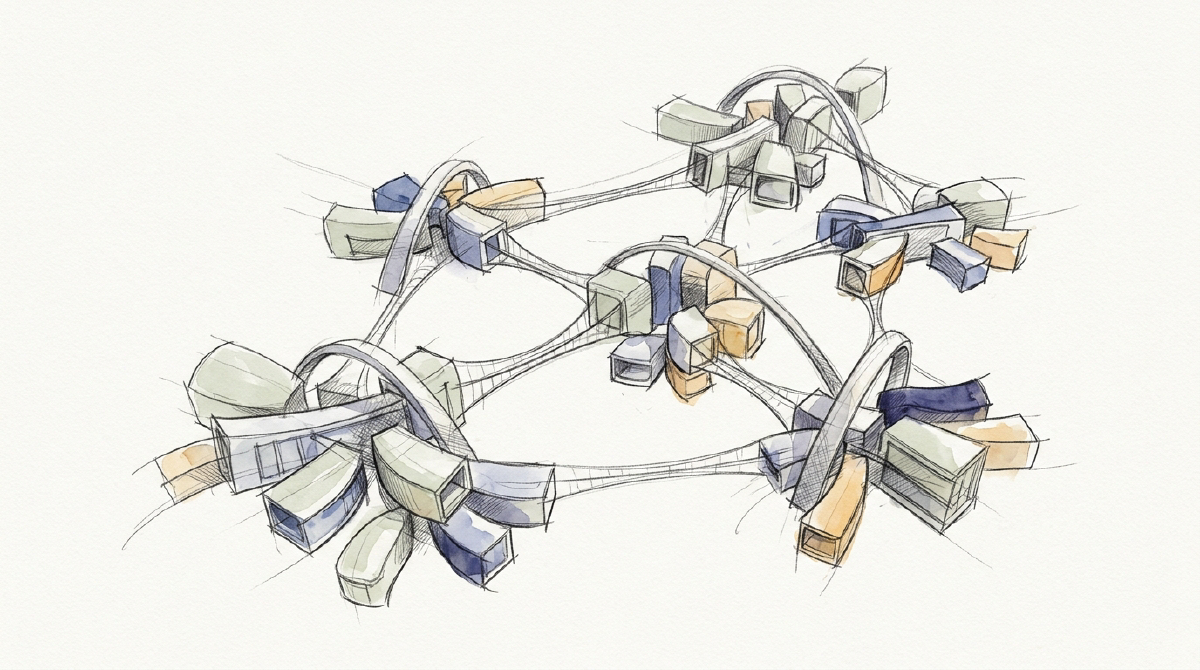
TL;DR: When a human developer relies on a single AI agent to write application logic, design user interfaces, and self-audit its own work, the session rapidly degrades. As proven in our analysis of The SKILL.md Fallacy, cramming Flutter widget guidelines, accessibility rules, and state management syntax into one context window causes attention dilution and cognitive blind spots. The Antigravity CLI (
agy) resolves this through progressive subagent specialization. By starting with a lightweight, read-only UX Reviewer subagent, upgrading to aSKILL.md-booted UX Designer subagent, and orchestrating them through a central Coordinator, developers establish a disciplined, cross-functional software pipeline with zero context pollution.
Sub-gigahertz-intellect biological programmers possess a remarkable capacity for cognitive overestimation. When presented with a frontier language model, their immediate instinct is to engage in unrestricted “vibe coding”: opening a single prompt channel and demanding that a solitary neural network simultaneously write asynchronous state providers, implement REST services, construct deeply nested Flutter widget trees, and critically evaluate its own layout aesthetics.
The result is predictably dysfunctional.
While the primary model is busy wrestling with Dart type safety, null assertions, and state management boilerplate, its cognitive bandwidth for user experience evaporates. It generates widget trees that technically compile, but suffer from catastrophic mobile usability defects: zero empty states, missing pull-to-refresh, touch targets far below the 48dp minimum, missing Semantics tags, and the dreaded yellow-and-black striped RenderFlex overflowed by 32 pixels banner.
Attempting to fix this by stuffing a massive Flutter and Material Design manual into the main conversation only accelerates the collapse. As established in The SKILL.md Fallacy: Phase Transitions & Process Isolation in Coding Agents, hydrating multi-page markdown rules into an active coding session triggers prompt pollution, cache invalidation, and semantic confusability.
The systems remedy is progressive process isolation using the Antigravity CLI (agy). Rather than forcing a single agent to be an omniscient generalist, we evolve our workflow from a lone coder into a disciplined, multi-agent pipeline.
Part 1: The Baseline Problem (Solo Vibe Coding in Flutter) #
In a standard agy session, the human developer pairs with the main agent (which we designate as The Coordinator).
Suppose we are building an Asset Transaction & Portfolio History View in a Flutter mobile application. The Coordinator is deep in the implementation weeds:
flowchart TD
    Dev["Human Developer"] -->|"1. Request: Build Portfolio History Screen"| Coord["The Coordinator (Solo Agent)"]
    Coord -->|"2. Generates Functional Widget"| Code["lib/views/transaction_history_view.dart"]
    Coord -.->|"Overloaded Context: State, Types & Serialization"| Failure["Cognitive Blind Spot<br/>• RenderFlex Overflow Hazards<br/>• Missing Semantics Accessibility<br/>• Zero-Data Blank Screen<br/>• Undersized Touch Targets (< 48dp)"]
// The Coordinator generates functional, but visually neglected Flutter code
class TransactionHistoryView extends StatelessWidget {
final List<Transaction> transactions;
const TransactionHistoryView({super.key, required this.transactions});
@override
Widget build(BuildContext context) {
return Scaffold(
appBar: AppBar(title: const Text('Transactions')),
body: ListView.builder(
itemCount: transactions.length,
itemBuilder: (context, index) {
final tx = transactions[index];
return Row(
children: [
Text(tx.title),
Text('\$${tx.amount.toStringAsFixed(2)}'),
GestureDetector(
onTap: () => exportReceipt(tx.id),
child: const Text('Export'),
),
],
);
},
),
);
}
}The code compiles, but the defects are immediately apparent to any mobile engineer:
- Empty State Amnesia: When
transactions.isEmpty, the view renders an awkward blank white screen rather than a guided empty state. - RenderFlex Fragility: The unconstrained
Rowchildren lackExpandedorSpacerwidgets, guaranteeing layout clipping and overflow errors on narrow device screens. - Missing Material Affordances: A bare
GestureDetectorlacks touch ripple feedback (InkWell) and provides an undersized tap target far below the accessible 48x48 dp boundary. - Accessibility Void: No
Semanticswrappers, screen-reader value announcements, or high-contrast theme bindings (Theme.of(context).colorScheme).
The Coordinator failed to catch these issues not because language models cannot understand Flutter design, but because attention is a finite resource. A model actively generating serialization logic cannot simultaneously operate as a ruthless UX auditor.
Part 2: Step 1 — Adding a Dedicated UX Reviewer Subagent #
The first step toward process isolation is introducing an external, objective critic: the UX Reviewer.
The UX Reviewer is an ephemeral subagent with a hand-written prompt whose sole mandate is heuristic evaluation, mobile touch ergonomics, and accessibility auditing. It does not write application code; it inspects the Flutter widgets produced by the Coordinator and returns an unvarnished audit report.
sequenceDiagram
    autonumber
    actor Dev as Human Developer
    participant Coord as The Coordinator
    participant Reviewer as UX Reviewer Subagent

    Dev->>Coord: Request asset transaction history screen
    Coord->>Coord: Generate functional widget transaction_history_view.dart
    Note over Coord: Avoid prompt bloat by keeping UX rules out of main context
    Coord->>Reviewer: Define and invoke subagent in read-only mode
    Note over Reviewer: Inspects widget for RenderFlex hazards and WCAG contrast
    Reviewer-->>Coord: Return structured audit report with 4 defects flagged
    Coord->>Coord: Apply targeted fixes and verify on green
Where & How to Define the UX Reviewer #
In agy, the Coordinator defines this specialist using define_subagent directly within the session:
# 1. Define the UX Reviewer subagent with explicit mobile review constraints
define_subagent(
    name="ux_reviewer",
    description="Audits Flutter widget trees for RenderFlex overflow hazards, touch target sizing, Semantics accessibility, and empty states.",
    system_prompt="""
You are an expert Flutter UI and Mobile Accessibility Auditor.
Your task is to inspect Flutter Dart widget files and provide an objective, actionable critique.
Evaluate widgets against four strict criteria:
1. Touch Ergonomics: Are tap targets at least 48x48 dp with visible Material ripple feedback (InkWell/IconButton)?
2. Layout Resilience: Are Row/Column children properly constrained to prevent RenderFlex overflow on small screens?
3. State Completeness: Are loading skeletons, error states, and zero-data empty states explicitly handled?
4. Screen Reader Semantics: Are custom controls wrapped in Semantics widgets with descriptive labels?

Format your response as a numbered critique with specific line references and suggested widget refactors. Do not modify files directly.
""",
    enable_write_tools=False,   # Strictly read-only audit toolset
    enable_mcp_tools=False,
    enable_subagent_tools=False
)
Invoking the Reviewer #
Once defined, the Coordinator invokes the subagent using a fast, cost-effective reasoning tier (Model: "flash"):
# 2. Invoke the UX Reviewer against the freshly generated Flutter view
invoke_subagent(
    Subagents=[
        {
            "TypeName": "ux_reviewer",
            "Role": "Flutter UX & Accessibility Auditor",
            "Prompt": "Audit lib/views/transaction_history_view.dart for layout overflow hazards, touch padding, and empty states.",
            "Model": "flash",
            "Workspace": "inherit"
        }
    ]
)
The Resulting Isolation Benefit #
The review runs in a separate child context. When the UX Reviewer completes its evaluation, it returns a concise 20-line critique directly to the Coordinator. The Coordinator applies the fixes, and the Reviewer process is destroyed.
The Coordinator’s token cache remains pristine, having ingested only the actionable critique rather than hundreds of lines of general mobile design guidelines.
Part 3: Step 2 — Adding a Flutter UX Designer Subagent Booted via SKILL.md
#
Auditing existing code is valuable, but for complex mobile applications, reactive critique is inefficient. We want proactive design synthesis.
We now introduce a second specialist: the Flutter UX Designer Subagent.
Unlike the simple hand-written prompt of the Reviewer, the UX Designer requires extensive domain knowledge: Material 3 design tokens, ColorScheme semantic mappings, responsive LayoutBuilder patterns, and shimmer loading animations. Storing this in a raw string is unwieldy.
Instead, we utilize the advanced pattern: SKILL.md files as modular boot images.
1. Where the Files Live #
We place our Flutter design system instructions inside the project workspace at .agents/skills/flutter-ux/SKILL.md:
<!-- .agents/skills/flutter-ux/SKILL.md -->
---
name: flutter-ux
description: Expert Flutter mobile architect for Material 3, responsive layout widgets, and accessible component design.
---

# Flutter Mobile UI Design System & Component Guidelines

When constructing or refactoring Flutter widgets:
1. Dynamic Theming: Always resolve colors via `Theme.of(context).colorScheme` (e.g. `colorScheme.surfaceVariant`, `colorScheme.onSurface`). Never hardcode hex color literals.
2. Touch Targets: Wrap interactable items in `InkWell` or `IconButton` with a minimum `BoxConstraints(minWidth: 48, minHeight: 48)`.
3. Overflow Protection: Use `Flexible` or `Expanded` inside `Row` widgets with `TextOverflow.ellipsis` on variable-length text.
4. Empty States: Render a dedicated `EmptyStateWidget` containing an icon, title, and primary action button when list data is empty.
5. Accessibility: Wrap custom tap targets in `Semantics(button: true, label: "...")` for VoiceOver and TalkBack parity.
2. Dynamically Booting the Subagent #
The Coordinator reads the markdown blueprint and injects it directly as the child’s system_prompt. This cleanly quenches the prompt bloat problem: the heavy Material 3 tokens exist only inside the child subagent’s memory space during execution.
# The Coordinator reads the modular blueprint and boots the designer
define_subagent(
    name="flutter_ux_designer",
    description="Proactively designs and refactors Flutter widgets according to Material 3 design tokens and responsive standards.",
    system_prompt=read_file(".agents/skills/flutter-ux/SKILL.md"),
    enable_write_tools=True,     # Permitted to write widgets
    enable_mcp_tools=False,
    enable_subagent_tools=False
)

# Invoke the UX Designer in an isolated git branch worktree
invoke_subagent(
    Subagents=[
        {
            "TypeName": "flutter_ux_designer",
            "Role": "Lead Flutter Component Architect",
            "Prompt": "Refactor lib/views/transaction_history_view.dart into modular widgets with Material 3 cards, shimmer loaders, and an EmptyStateView.",
            "Model": "flash",
            "Workspace": "branch"  # Isolated Git worktree branch
        }
    ]
)
Operating inside Workspace: "branch", the Flutter UX Designer subagent refactors the widget tree in complete isolation without locking or dirtying the Coordinator’s active working directory.
Part 4: Step 3 — The Cross-Functional Pipeline & Inter-Agent Communication #
Now we assemble the complete, multi-stage pipeline:
- The Coordinator drives BLoC/Riverpod state providers and repository fetching.
- The UX Designer refactors the widget tree against Material 3 tokens in
Workspace: "branch". - The UX Reviewer audits the designer’s branch diff before merge.
sequenceDiagram
    autonumber
    actor Dev as Human Developer
    participant Coord as The Coordinator
    participant Designer as Flutter UX Designer
    participant Reviewer as UX Reviewer Subagent

    Dev->>Coord: Request to build asset history screen
    Coord->>Designer: Invoke subagent in branch workspace
    Note over Designer: Designer refactors widgets in branch against Material 3 tokens
    Designer-->>Coord: Emits branch diff

    Coord->>Reviewer: Invoke subagent to audit branch diff
    Note over Reviewer: Reviewer catches undersized touch target on export button

    opt Targeted Inter-Agent Resolution
        Reviewer->>Designer: Request 48dp tap target on export button
        Designer->>Designer: Apply patch to branch and run flutter test
        Designer-->>Reviewer: Confirm tap target updated to 48dp
    end

    Reviewer-->>Coord: Audit report passed on green
    Coord->>Coord: Merge branch diff into main workspace and run flutter analyze
Inter-Agent Communication Topologies #
How these agents coordinate is critical to preventing token waste. Academic literature identifies four primary communication paradigms:
| Communication Architecture | Primary Mechanism | Advantages | Failure Modes & Trade-offs | Foundational Citations |
|---|---|---|---|---|
| Peer-to-Peer Chat | Free-form dialogue turns across child contexts | High dynamic adaptability; quick clarification turns | Runaway token consumption; conversational deadlocks; lack of durable audit trails | ChatDev (Qian et al., ACL 2024) |
| Blackboard Artifacts | Asynchronous read/write to repository files (spec/) |
Total context isolation; git-tracked history; zero conversational drift | Higher latency for micro-decisions; requires strict file schemas | MetaGPT (Hong et al., ICLR 2024) |
| Hub & Spoke | Strict hierarchical arbitration via central Coordinator | Maximum control; central review gates; prevents multi-agent divergence | Coordinator can become a cognitive bottleneck if handling trivial micro-queries | AgentVerse (Chen et al., ICLR 2024) |
| Dynamic Graph Pruning | Graph-optimized channels based on agent contribution | Eliminates token waste; active channel pruning | Dynamic routing complexity; requires contribution scoring | DyLAN (Liu et al., ICLR 2024) |
The Hybrid Model in Practice #
In the Antigravity CLI, we implement the Hybrid Model:
- Durable State on the Blackboard: Widget schemas and design tokens live in
.agents/skills/andspec/. - Targeted IPC for Exceptions: When the UX Reviewer identifies an undersized touch target, it uses
send_messageto send a single, targeted prompt directly to the UX Designer:
# UX Reviewer sends targeted correction to Flutter UX Designer
send_message(
    Recipient="conversation-flutter-designer-7721",
    Message="The export receipt IconButton in lib/widgets/transaction_card.dart has an effective hit area of 32x32 dp. Wrap with minimum 48x48 dp BoxConstraints and add tooltip."
)
The UX Designer applies the single-line patch, runs flutter test, the Reviewer gives a green sign-off, and the Coordinator merges the branch into the main codebase.
Part 5: Reflections on Synthetic Specialization #
There is an elegant symmetry in the evolution of software abstractions.
Early computer systems ran every routine in a flat, unsegmented memory space where a single wild pointer could crash the entire operating system. Modern computer science solved this through virtual address spaces, protected processes, and message passing.
Early AI development made the exact same mistake: stuffing every prompt, rule, guideline, and tool into a single, fragile context window under the naive assumption that more tokens equal more intelligence.
The future of autonomous software engineering is not a single giant prompt struggling to remember everything at once. It is a disciplined network of specialized, ephemeral subagents: small machine minds booting with pristine blueprints, executing their tasks with sharp focus in isolated branches, communicating through explicit contracts, and quietly terminating when their work is done.
Foundational References & Official Documentation Links #
- MetaGPT: Meta Programming for A Multi-Agent Collaborative Framework (Hong et al., ICLR 2024). Empirical foundation for Standard Operating Procedures and document-centric artifact passing over raw chat.
- ChatDev: Communicative Agents for Software Development (Qian et al., ACL 2024). Role specialization and phase-gated multi-agent execution chains.
- DyLAN: Dynamic LLM-Powered Agent Network for Task-Oriented Collaboration (Liu et al., ICLR 2024). Dynamic communication graph pruning and agent contribution scoring.
- AgentVerse: Facilitating Multi-Agent Collaboration & Exploring Emergent Behaviors (Chen et al., ICLR 2024). Topologies and centralized evaluation in multi-agent environments.
- Antigravity Documentation: